
Food Network Magazine US
Hearst Communications, Inc.Food & Drink
3.920.00 Reviews
- Version
- 19.0
- Installs
- 10.00K
- Age Rating
- Everyone
Screenshots


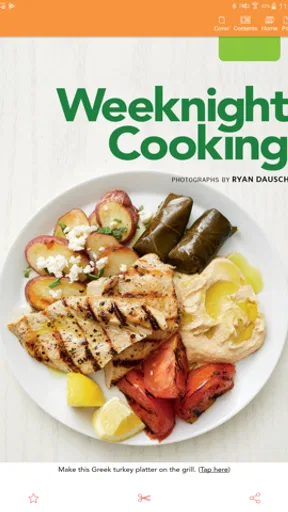


Our Review of Food Network Magazine US
 Analysis by Appyee
I approached Food Network Magazine US as a digital food magazine rather than as a full recipe-management tool. That distinction matters. Its appeal comes from bringing food ideas, recognizable chefs, and entertainment-led magazine content into one place, while its limitations become clearer if you expect a highly structured cooking database or a completely free reading experience.
After spending time with it, I see a useful companion for people who enjoy browsing for dinner inspiration, reading food features, and keeping up with the style of Food Network content. It is a free Food & Drink app from Hearst Communications, Inc., available for Everyone and compatible with devices running Android 6.0 or later. The app has reached over ten thousand installs and holds a 3.9 average from around one hundred ratings, so the public response looks reasonably positive but not broad enough to treat that score as a definitive verdict.
How Food Network Magazine feels in everyday use
I find the most useful way to judge Food Network Magazine is to separate the pleasure of browsing from the practical work of cooking. A page that inspires a meal is a good starting point, but I still want to make deliberate choices about what I read and buy. That leads naturally to the question of which controls and choices deserve attention.
Speed expectations when opening and browsing
The right expectation is magazine browsing, not instant utility. When I use an app like this, I want to move from a cover or feature to an interesting article without feeling as if I am fighting the interface. Food Network Magazine US is most enjoyable when I give it a little attention and browse deliberately, rather than opening it in a hurry with the single goal of finding one ingredient and one exact cooking time.
That difference separates it from a typical recipe search app. Search-first tools are built around a question such as “What can I make with chicken tonight?” A magazine app encourages a different rhythm: I look through a collection, notice an idea I was not actively seeking, and then decide whether it belongs on my next meal plan. For weekend cooking, relaxed browsing, or a quiet few minutes with coffee, that approach feels natural.
It is also worth remembering that magazine content can be more demanding than a simple list of recipes. Images, layouts, editorial pages, and issue-style presentation are part of the experience. I would not judge the app solely by how quickly a plain text screen appears. The richer the page, the more sensible it is to allow a moment for content to settle, especially on an older phone or a less consistent connection.
My practical advice is to open it before you are already standing in the supermarket aisle. Browse at home, identify recipes or features that interest you, and make notes about what you need. That small change turns the app from a potentially frustrating last-minute search tool into a more comfortable source of ideas.
What happens during heavier browsing sessions
The heavier moments are likely to come when moving through image-rich magazine material, jumping between several articles, or repeatedly opening and closing pages while comparing ideas. That is where a phone has more work to do than it would with a basic recipe list. I found the experience better suited to short, focused sessions than to endlessly opening every item in an issue.
A useful workflow is to separate discovery from cooking. During discovery, I browse several pieces and mark down the ones that genuinely fit my plans. During cooking, I return only to the selected material instead of continuing to explore. This reduces the amount of page switching and keeps the phone from becoming a distraction beside the cutting board.
Another trade-off is visual appeal versus efficiency. A magazine-style presentation can make food content more inviting, but it may take more time to scan than a compact list with ingredients, servings, and instructions immediately visible. If I am choosing between three dinner options quickly, the usual recipe website may be faster. If I want to discover a new theme, chef idea, or entertaining angle, the magazine format gives me more pleasure.
For a realistic everyday example, imagine planning a casual Saturday meal. I might browse the app on Friday evening, save a couple of ideas mentally or in my own notes, check which ingredients overlap, and shop the next morning. That is a sensible use case. Opening it while guests are waiting and expecting a complete cooking plan in seconds is less suitable.
Reliability and recovering from interruptions
Reliability is not only about whether an app opens. For a food magazine, it also means being able to return to the material I was reading after a phone call, a screen lock, or a brief change to another app. I prefer content that lets me resume without having to reconstruct my entire browsing path. That recovery experience is especially important in the kitchen, where interruptions are normal.
I would still treat the app as a source of guidance rather than my only cooking safety net. Before starting a recipe or feature, I like to read through the complete item once, gather the ingredients, and understand the general sequence. If the screen becomes inconvenient at a critical moment, having the key steps written down or remembered is more practical than repeatedly unlocking the phone with wet hands.
This is also where a magazine differs from a dedicated cooking assistant. A focused cooking app may offer a more direct path from recipe selection to step-by-step execution. Food Network Magazine US is more editorial. Its strength is the surrounding context and the pleasure of browsing, while the user may need to do more preparation before cooking.
On the positive side, the app’s age rating of Everyone makes it approachable for a household audience. I can imagine families browsing food ideas together without the product feeling aimed only at professional cooks. That does not make every recipe suitable for every dietary need, of course; I would still inspect ingredients carefully if allergies, intolerances, or strict eating plans are involved.
Device constraints and the cost of convenience
The minimum operating-system requirement is Android 6.0, which keeps the app accessible to many older Android devices. That is helpful if you have a spare phone or an aging tablet you like to keep in the kitchen. At the same time, compatibility does not guarantee the same comfort on every device. Screen size, memory, display quality, and connection stability can all affect how enjoyable magazine pages feel.
A larger tablet-style screen would make editorial layouts easier to appreciate, while a small phone is more convenient when shopping or cooking. I would choose based on the task: use the larger display for relaxed reading and the phone for quick reference. If your device is already crowded with storage-heavy media apps, it is sensible to keep an eye on available space and avoid treating this as the only place where your meal plans exist.
Resource demands are best considered in terms of the content experience rather than a precise technical measurement. A page built around food photography naturally asks more from a device and connection than a text-only recipe. If you notice slow transitions, try closing unrelated apps, moving to a stronger connection, or reducing how many pages you keep opening in one session. Those are simple habits, but they can make browsing feel less demanding.
The payment model also affects how I would approach it. The app is free to download, with individual in-app purchases ranging from $1.99 to $19.99. That means I would install it first, explore the available experience, and decide whether the specific magazine content justifies spending more. I would not assume that downloading the app automatically provides unlimited access to everything inside.
That arrangement can be good for an occasional reader who wants to pay for selected content rather than commit immediately to a broad subscription. It is less attractive if you expect every article and issue to be included simply because the download itself costs nothing. Checking the purchase screen carefully before confirming anything is the sensible approach, particularly if several people share the device.
What it does better than ordinary recipe alternatives
The strongest reason to choose this app is its blend of food, celebrity-chef appeal, and entertainment. A standard recipe site may give me a larger searchable pool and a faster ingredient lookup, but it can feel fragmented. I may jump between unrelated pages, advertisements, and user comments without a clear editorial voice. Here, the magazine identity gives the browsing experience more shape.
That editorial structure can also help when I do not know what I want to cook. Search engines are excellent when I already have a dish in mind. They are less inspiring when I want a fresh idea for a family meal, a casual gathering, or a seasonal change in routine. Browsing curated food content lowers the pressure to invent a search phrase and makes discovery part of the activity.
On the other hand, a dedicated recipe organizer is better for cataloguing personal favorites, scaling ingredient quantities, creating shopping lists, and tracking a cooking routine. I would not replace such a tool with Food Network Magazine US if my main goal were meal logistics. I see them as complementary: the magazine supplies inspiration, while an organizer handles the practical administration afterward.
Printed magazines still have one advantage: they never lock a page when a phone is busy, and they are easy to leave open on a counter. The app wins on portability and the ability to carry food content without another physical item. The better choice depends on whether you value digital access and searchable browsing more than the simplicity of paper.
Small workflows that make the app more useful
My first tip is to browse with a purpose, even when the app is designed for discovery. Before opening it, decide whether you are looking for a weeknight meal, a baking idea, entertaining inspiration, or something to read. This narrows the session without removing the pleasant surprises that make a magazine enjoyable.
My second tip is to compare recipes by ingredient overlap rather than choosing each one in isolation. If two appealing ideas use similar vegetables, herbs, or pantry basics, they may fit together into a more efficient shopping trip. The app does not need to be your shopping-list manager for it to support this kind of planning; I can use a simple note on the phone and keep the editorial browsing separate from the grocery checklist.
My third tip is to read the whole feature before buying ingredients. Magazine presentation can make a dish look immediately tempting, but the practical details matter more once I am committed to cooking. I want to know whether the recipe suits the time I have, the equipment available, and the people eating it. This habit prevents the common mistake of choosing based only on a photograph or headline.
A fourth useful habit is to reserve the app for inspiration when the phone is clean and charged, then use a short written summary during cooking. That is not a criticism of the app; it is a realistic response to the kitchen environment. Fewer screen interactions mean less interruption, and I can still benefit from the original editorial content during planning.
Who will enjoy it, and who should skip it
I would recommend Food Network Magazine US to readers who like food media, enjoy chef-led entertainment, and want ideas presented with more personality than a bare recipe database. It is particularly appealing if you often cook for friends or family and need inspiration rather than technical instruction alone. The magazine format makes it easy to turn meal planning into a small leisure activity.
It also suits occasional cooks who do not want to build a complicated system. You can browse when the mood strikes, choose an idea, and move on. The free entry point makes trying it straightforward, while the range of optional purchases lets a committed reader decide how much content is worth paying for.
I would be more cautious if you need strict dietary filtering, highly precise nutrition tracking, automatic shopping lists, or a completely free collection of recipes. In those situations, a specialized cooking or health app may be a better primary tool. I would also skip it if you dislike magazine layouts and want every screen optimized for rapid, step-by-step execution.
People with older hardware can try it because Android 6.0 support is relatively welcoming, but the physical experience still depends on the device. A small, slow phone may make image-led browsing tiring even if installation is possible. If you have access to a larger screen, I would use that for reading and reserve the phone for short sessions away from home.
Version, value, and long-term expectations
The current version is 19.0, and the app was released on December 6, 2018. That history suggests a product with an established identity rather than a brand-new experiment. For me, the important question is not simply how long it has existed, but whether its magazine approach still matches the way I want to discover food content.
The 3.9 average is a middle-ground signal: enough approval to show that the concept works for some readers, but not a reason to expect a flawless experience on every phone. With around one hundred ratings and twenty written reviews, I would read the comments for clues about the specific device and purchasing experience before forming a strong opinion. A score alone cannot tell me whether a limitation matters to my habits.
Value depends heavily on how often I read. Someone who opens the app once every few months may prefer to stay with free material or buy only a particularly useful issue. A regular food-media reader may find the optional purchases easier to justify. Since the listed price for the app itself is free, the sensible trial is to install it, explore its presentation, and decide whether the available content earns further spending.
What I would not do is treat it as a replacement for every food app on my phone. Its role is narrower and more enjoyable: editorial discovery with a strong food and entertainment angle. Once I accept that role, the trade-offs make sense. I am not asking it to behave like a grocery planner, nutrition calculator, or professional kitchen timer.
My performance verdict
Food Network Magazine US feels best when used calmly: browse at home, choose a few promising ideas, prepare your notes, and then cook with a clear plan. Image-rich magazine content may be less immediate than a plain recipe list, and older or smaller devices may make that difference more noticeable. I would describe it as a browsing-first experience whose performance expectations should match its editorial presentation.
Its reliability is most valuable when it helps me return to food content after ordinary interruptions, but I still prefer to prepare before cooking rather than depend on constant screen interaction. The app’s Android 6.0 minimum makes it accessible to a broad range of devices, while the free download lowers the risk of trying it. Optional purchases, from $1.99 to $19.99 per item, mean the final value depends on how much of the magazine experience I actually use.
My recommendation is simple: install it if you want food inspiration with a magazine personality, not if you need a precision cooking utility. I would happily suggest it to a friend who enjoys chef features and likes discovering dinner ideas while relaxing. For someone who wants instant filtering, automated shopping, or a fully organized recipe archive, I would point them toward a more specialized alternative instead.
In the right setting, this app makes cooking feel less like a chore and more like browsing for the next good idea. That is a worthwhile strength, as long as you understand that the pleasure comes from the editorial journey rather than from maximum speed or kitchen automation.
Verdict
Strengths of Food Network Magazine US
- Recipes are organized clearly, making it easy to browse by meal or ingredient.
- Seasonal issues provide timely cooking ideas and holiday inspiration.
- Detailed food photography makes dishes appealing and easier to visualize.
- Useful cooking tips can help readers improve basic kitchen techniques.
- The magazine offers a mix of recipes, interviews, and food-related features.
Limitations of Food Network Magazine US
- Most recipes require several ingredients that may not be pantry staples.
- Some content may feel repetitive for long-time Food Network followers.
- The app’s value depends heavily on the availability of new magazine issues.
- Certain recipes can be time-consuming for busy cooks.
- Some features or issues may require a paid subscription to access.
Other Releases by Hearst Communications, Inc.
View All
Delish
Food & Drink4.6
Similar Picks in This Category
View All
Rappi: Food Delivery, Grocery
Rappi, Inc - Delivery3.5

McDonald’s: Cupons e Delivery
Arcos Dorados4.3

Swiggy: Food Instamart Dineout
Swiggy4.7

Blinkit: Groceries & more
Blinkit4.8

foodpanda: food & groceries
Foodpanda GmbH a subsidiary of Delivery Hero SE4.0

Zomato: Food Delivery & Dining
Zomato4.7
Frequently Asked Questions
What is Food Network Magazine US, and what can I read in it?
Food Network Magazine US is a digital companion to the popular Food Network brand, offering recipes, cooking tips, entertaining ideas, chef features, product recommendations, and food-related inspiration. After exploring the app, users can expect a magazine-style experience with seasonal content, step-by-step recipes, photographs, and articles designed for both everyday cooks and enthusiastic home chefs.
Does Food Network Magazine US require a subscription or payment?
Access to Food Network Magazine US may depend on the edition, platform, and subscription option available in your region. Some content or previews can be accessible without a purchase, while complete magazine issues and premium features may require a subscription or individual issue payment. Before downloading, check the current App Store or Google Play listing for pricing, renewal terms, and available trial offers.
Can I save recipes and read Food Network Magazine US offline?
The app may provide tools for saving or bookmarking recipes and downloading magazine issues for later reading, although the exact features can vary between iOS and Android versions. Offline access is especially useful when cooking in a kitchen with weak internet service. It is best to download an issue or recipe while connected and confirm that it remains available before going offline.
Is Food Network Magazine US suitable for beginner cooks?
Yes, Food Network Magazine US can be useful for beginners as well as more experienced home cooks. Many recipes include ingredient lists, preparation guidance, cooking times, serving information, and clear instructions. Beginners should still review the full recipe before starting, since some dishes may require specialized equipment, advanced techniques, or ingredients that are not always easy to find locally.
What devices are compatible with Food Network Magazine US?
Food Network Magazine US is generally designed for supported Android and iOS smartphones and tablets, but compatibility can depend on the operating system version and the current app release. For the smoothest experience, install it from the official Google Play Store or Apple App Store, keep your device updated, and verify the listed requirements before downloading or purchasing digital content.
